Owning an SKMEI watch means having a reliable and feature-rich timepiece on your wrist. However, whether it’s a new purchase or after a battery change, knowing how to set your SKMEI watch correctly for time, date, and alarms is crucial. This comprehensive guide will walk you through the essential steps, ensuring your SKMEI watch is always accurate and ready for your daily adventures. We’ll cover common setting procedures for various SKMEI models, helping you master your watch’s functionalities.
To quickly figure out how to set your SKMEI watch, press the Mode button three times until the seconds start blinking. Use the Reset button to select the minutes, hours, or date, and press the Start button to change the numbers. Press Mode once more to save your SKMEI watch setting.
If you have lost your manual, this guide will walk you through exactly how to adjust SKMEI watch features, step by step.
What Do the 4 Buttons (Light, Mode, Start, Reset) Do?
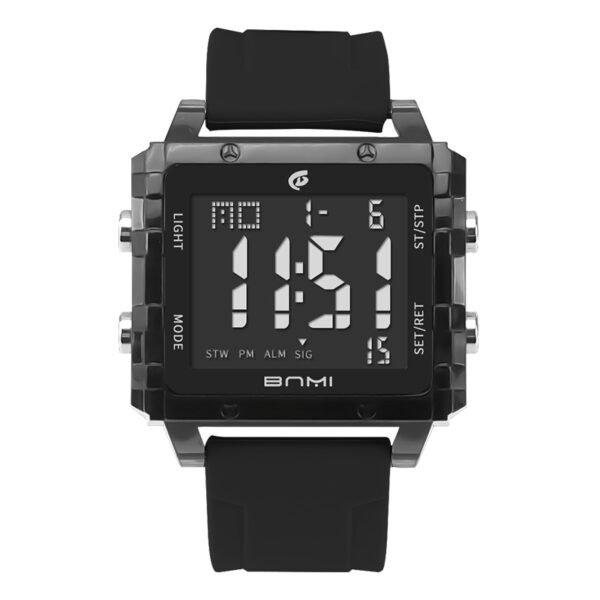
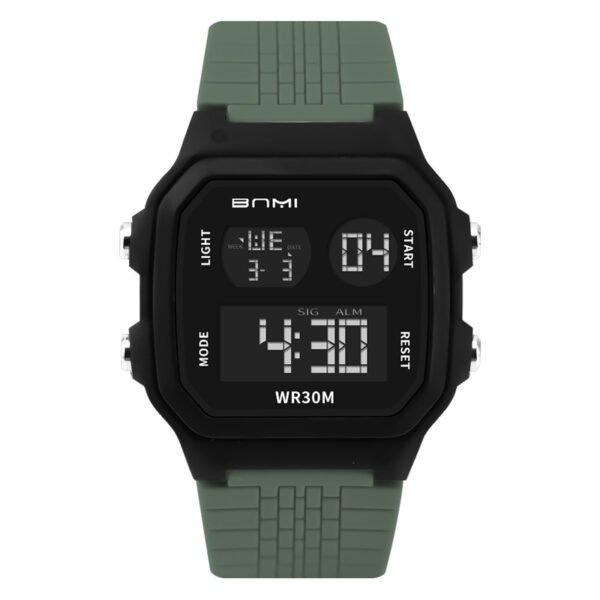
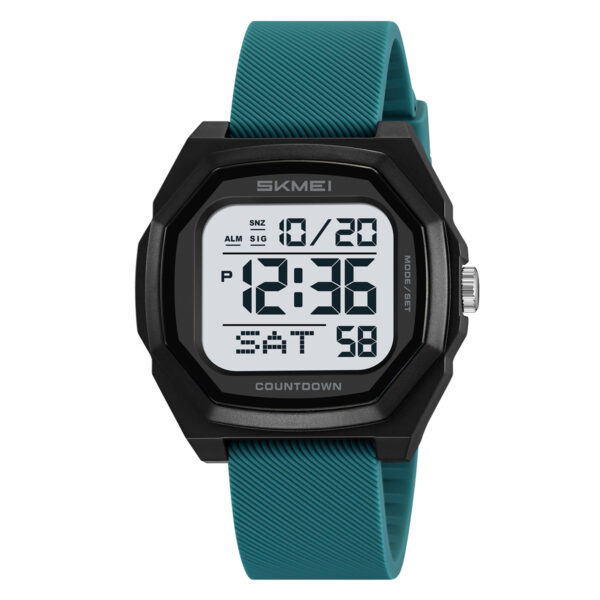
Before you begin setting SKMEI models, it is crucial to understand the layout. Most SKMEI digital models feature a standard 4-button design. Here is exactly what each button controls:
| Button Name | Location | Function |
| Light (L) | Top Left | Turns on the LED backlight for 3 seconds for night viewing. |
| Mode (M) | Bottom Left | Switches between watch modes: Normal Time, Stopwatch, Alarm, and Time Setting. |
| Start (S) | Top Right | Changes or increases the flashing number when adjusting settings. |
| Reset (R) | Bottom Right | Selects which specific value you want to change (seconds, minutes, hours, date). |
Step-by-Step: How to Set SKMEI Time and Date?
If you are ready to set SKMEI time, follow this simple numeric sequence.
- Enter Time Setting Mode: From the normal time display, press the Mode button 3 times. You will know you are in the correct mode because the seconds will start blinking.
- Reset the Seconds (Optional): While the seconds are blinking, press the Start button to reset them to zero.
- Set the Minutes: Press the Reset button once. The minutes will start flashing. Press the Start button repeatedly to reach the correct minute.
- Set the Hours: Press the Reset button again to make the hours flash. Press the Start button to adjust the hour. (Note: Watch the screen carefully for “A” or “P” for AM/PM, or “H” if you prefer a 24-hour format).
- Set the Date & Day: Continue pressing the Reset button to toggle through the Date, Month, and Day of the week. Use the Start button to advance each value until it is correct.
- Save and Exit: Once everything is accurate, press the Mode button one time to lock in your settings and return to the main screen.
How to Set the SKMEI Watch Alarm?
Setting your daily reminder is just as easy as setting the time. Here is how to configure your SKMEI watch alarm:
- Enter Alarm Mode: From the normal time display, press the Mode button 2 times.
- Select the Hour: Press the Reset button. The alarm hour will begin flashing.
- Adjust the Hour: Press the Start button to set the desired hour (pay attention to AM/PM).
- Select the Minutes: Press the Reset button again so the minutes begin to flash.
- Adjust the Minutes: Press the Start button to set the exact minute.
- Save and Exit: Press the Mode button to save your alarm settings and return to the home screen.
- Toggle Alarm On/Off: On the main screen, hold the Reset button and press the Start button simultaneously. A small bell icon or alarm symbol will appear when the alarm is active.
Does This Apply to SKMEI Kids Digital Watches?
Yes! If you are trying to set up a watch for your child, the process is identical. Most SKMEI kids’ digital watches use the exact same 4-button operating system as the adult models. You can follow the precise time-setting instructions above to adjust your child’s watch without needing a separate manual.
Tips for Troubleshooting Common SKMEI Watch Setting Issues
- Read the Manual: While this guide covers general steps, always refer to your specific SKMEI watch manual for precise instructions, as button functions can vary.
- Battery Check: If your watch isn’t responding to button presses, a low battery might be the issue. Consider a battery replacement.
- AC Reset: For some digital models, after a battery change, you might need to perform anAC (All Clear) reset. This usually involves shorting a specific contact point (often labeled AC) on the movement to the battery negative terminal with a metal tweezer after installing the new battery. This clears the module and allows for proper setting.
- Seek Online Tutorials: Many users have created video tutorials for specific SKMEI models. A quick search on YouTube for “SKMEI watch setting tutorial [your model number]” can be very helpful.
Conclusion
Mastering how to set your SKMEI watch for time, date, and alarms is straightforward once you understand the basic button functions. By following this guide, you can ensure your reliable SKMEI timepiece is always perfectly synchronized with your schedule. Whether for daily wear, sports, or travel, your accurately set SKMEI watch will be a dependable companion. Don’t hesitate to consult your specific model’s manual or online resources if you encounter any unique challenges. Keep your SKMEI watch running precisely and enjoy its full range of features!