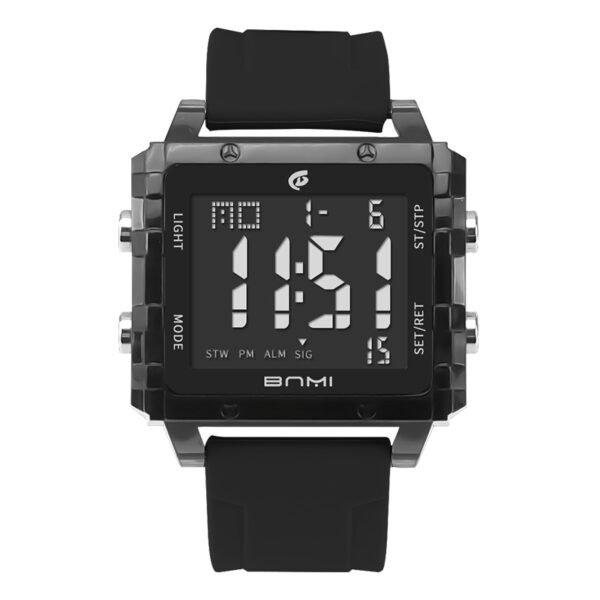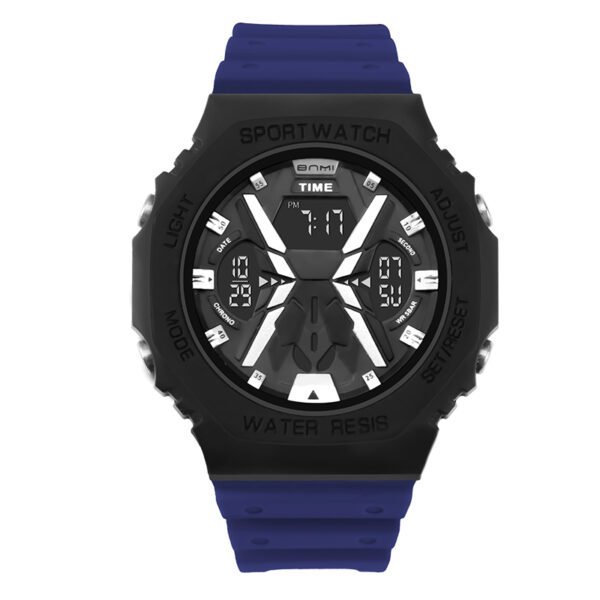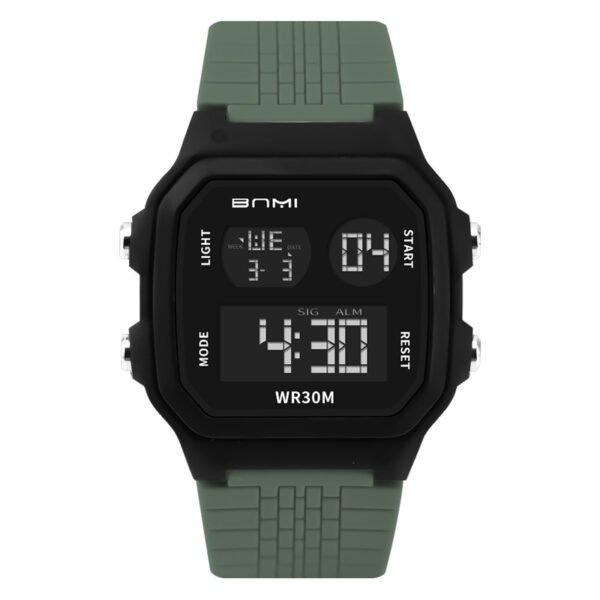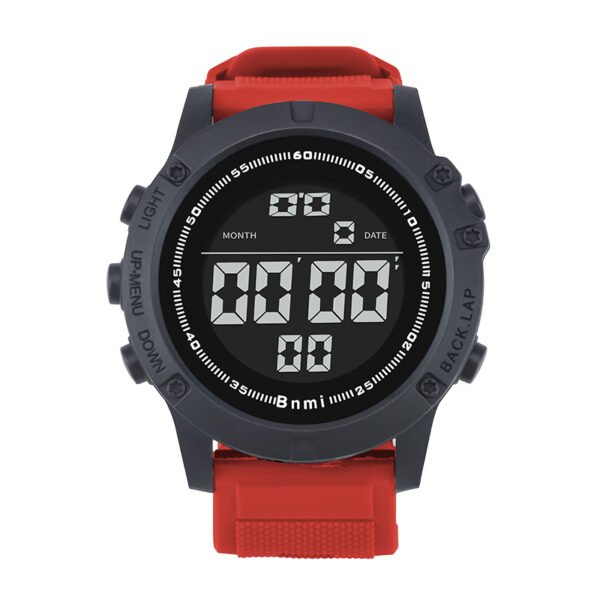
Welcome to the ultimate SKMEI 1758 digital watch guide. Whether you are setting up your new tactical timepiece for the first time or exploring its advanced timing functions, this professional manual will walk you through every feature to ensure precision and durability in your daily use.
A. SKMEI 1758 Features
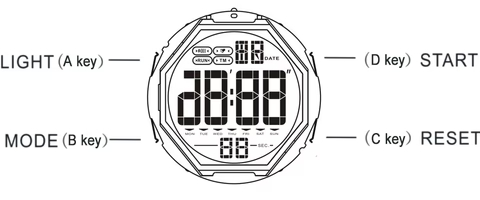
- 8 digits to display hour, minute, second, date, month, and the day of the week.
- Dual time capabilities for tracking multiple time zones.
- Daily Alarm and Hourly Time Signal functionality.
- Integrated countdown timer.
- 12-hour / 24-hour format selectable options.
- Precision stopwatch.
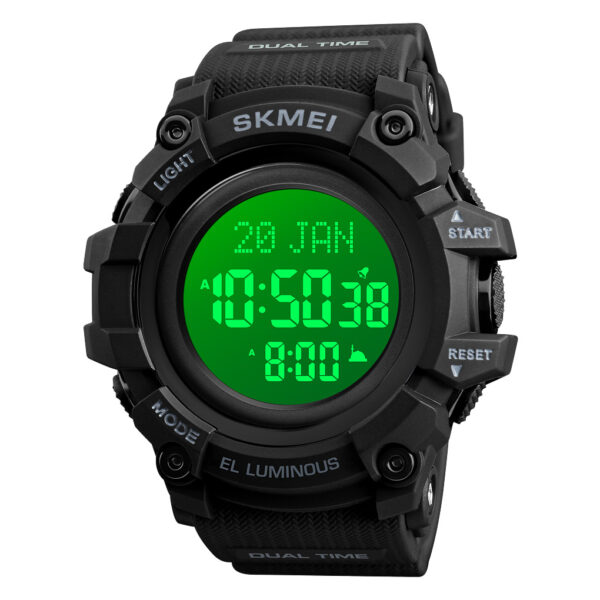
- EL backlight for clear visibility in low-light environments.
B. Product Functional Modes

- In any mode, activate the LED backlight for 3 seconds by pressing the A Key. In non-setting mode, press the B key to sequentially select the operating mode.
- In normal time mode, press the D key to display the current month and date.
Time and time setting
- In normal time mode, press the C key; the “seconds” indicator starts to flash, which indicates you have entered the setting screen. Press the B key to select other settings (which will flash) in the following sequence: Second → Hour → Minute → Month → Date → Week → 12/24-hour format.
- When the desired setting item is flashing, press the D key to adjust the value.
- Press the C key to confirm your adjustments, and then return to the normal time mode.
- The watch will automatically exit from the setting interface if you do not perform any key action within 80 seconds, returning securely to the normal time mode.
Stopwatch mode
- The display range of the stopwatch is 23 hours, 59 minutes, 59.99 seconds.
- To measure times with the stopwatch: In stopwatch mode, press the D key to start counting, then press the D key again to stop counting. When it stops, clear the seconds to zero by pressing the C key.
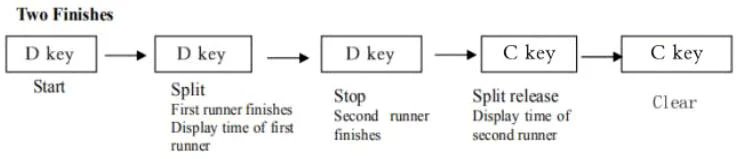
Elapsed Time: To measure times with SPL (split time): In stopwatch mode, press the D key to start counting, and press the C key to enter SPL. Then, press the C key again to exit SPL. In the SPL state, press the D key to stop counting, press the C key to display all times of the stopwatch, and then the stopwatch resets to zero by pressing the C key.

Split Time: If you do not stop the stopwatch, when the stopwatch reaches its limit, it will seamlessly restart to measure from zero. Press the B key to return to other display modes when the stopwatch is running; at this time, the stopwatch will continue to run in the background.

Two Finishes:
Alarm mode
To turn on / off Daily Alarm and Hourly Time Signal: In alarm mode, press the D key to turn on / off the alarm. (The Alarm indicator will appear when it is turned on). (The Hourly Time Signal indicator will appear when it is turned on). Alarm time setting: In alarm mode, press the C key; the “hours” starts to flash, which indicates the alarm setting screen. Press the B key to select other settings (flashing) in sequence as below:

- When the setting item is flashing, press the D key to adjust.
- The Alarm 1 indicator “t1” will display on the screen when you select the normal time alarm. Meanwhile, the alarm 2 indicator “t2” will display on the screen when you select the second time. You can only choose one of the two groups of alarms (the alarm tone will not sound twice a day).
- Press the C key to confirm, and then return to the alarm mode.
- The watch will automatically exit from setting if you do not perform any key within 80 seconds, then return to the alarm time mode.
- When the alarm time is reached, the alarm tone will sound with BB-BB for 15 seconds. You can press any key to stop the alarm tone after it starts to sound.
Countdown timer mode
- The countdown can be set in the range of 23 hours, 59 minutes, 59 seconds.
- Countdown time setting: In countdown timer mode, press the C key; the “hour” starts to flash, which indicates the setting screen. Press the B key to select other settings (flashing) in sequence as below:

- When the setting item is flashing, press the D key to adjust.
- Press the C key to confirm, and then return to the countdown timer mode.
- The watch will automatically exit from setting if you do not perform any key within 80 seconds, then return to the countdown timer mode.
- In countdown timer mode, press the D key to start / stop counting down.
- The watch will sound with B-B-B for ten times before the countdown is going to finish. And when the countdown time reaches 00, the watch will sound with BB-BB for 10 seconds. You can press any key to stop the alarm tone after it starts to sound.
Dual time mode
- Dual time can display another time of a different time zone, and the minutes and seconds are synchronized with the minutes and seconds of timekeeping.
- Dual time setting: In dual time mode, press the C key; “hours” starts to flash, which indicates the countdown setting screen, then press the B key to adjust.
- Only the hours can be set in dual time, seconds and minutes cannot be set.
- Press the C key to confirm and then return to the second time mode.
- The watch will automatically exit from setting if you do not perform any key within 80 seconds, then return to the second time mode.
About ITSKMEI
As you explore the robust technical and sensory specifications of this model, it is important to know that ITSKMEI is the SKMEI official distributor. We are dedicated to providing authentic, highly durable timepieces built from premium resin and stainless steel materials, entirely backed by reliable expertise and authorized service.
Conclusion
We hope this skmei 1758 digital watch guide has helped you master your new device. If you are ready to upgrade your outdoor gear or wish to secure reliable, authentic models for your inventory, we strongly encourage you to purchase today. Please contact ITSKMEI for further inquiries, wholesale quotes, and official operational support.